
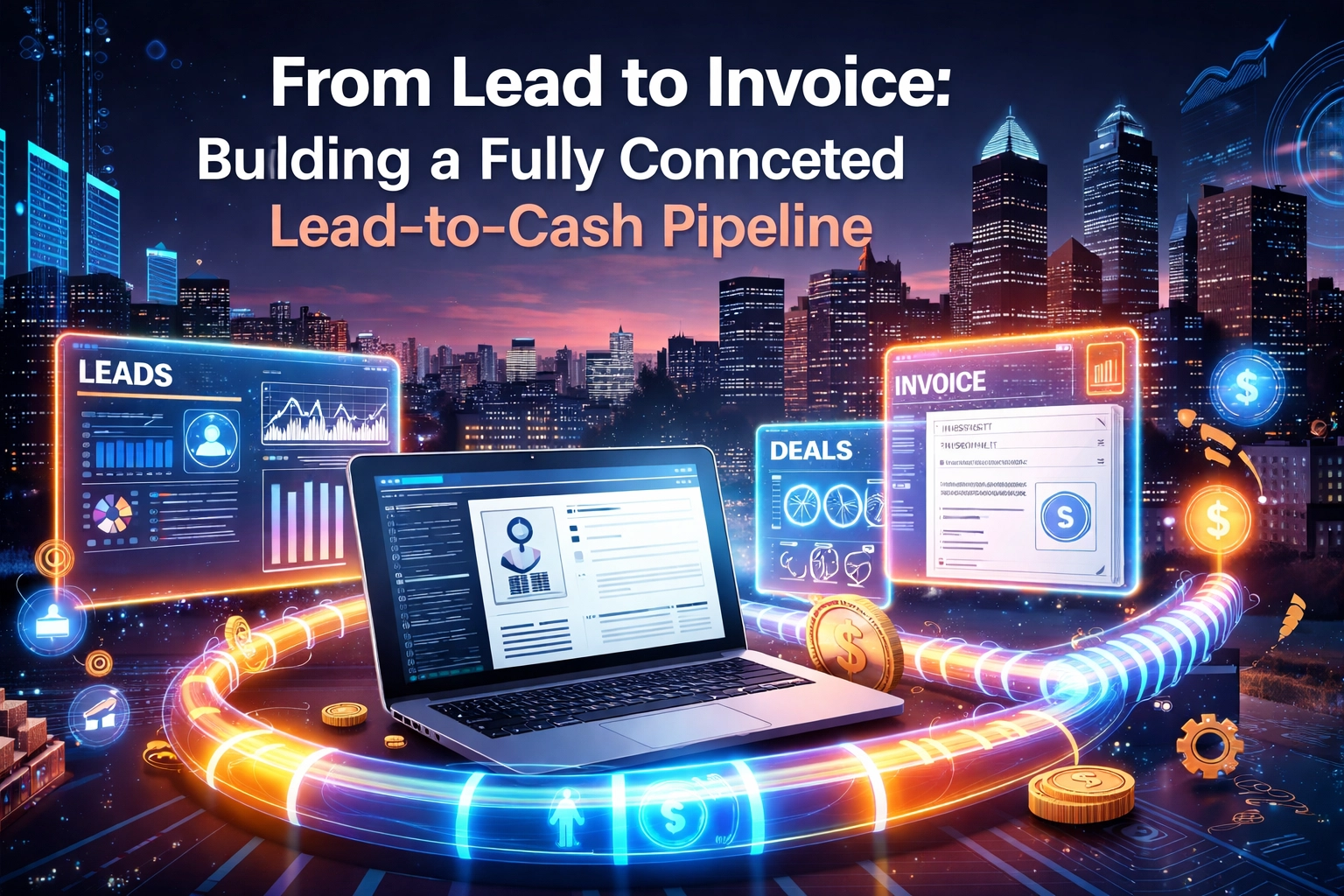
Let's paint a picture that might feel a little too familiar.
A potential customer fills out a form on your website. You get a notification: eventually. Maybe it goes to your email. Maybe it goes to a spreadsheet someone set up two years ago. Then you manually add them to your CRM (if you remember). A week later, you send a proposal. Two weeks after that, you finally close the deal. Then you dig through your files to create an invoice.
Sound exhausting? That's because it is.
For Philadelphia business owners juggling a million things at once, this disconnected workflow isn't just annoying: it's costing you real money. Leads slip through the cracks. Invoices go out late. Cash flow gets unpredictable.
But here's the good news: it doesn't have to be this way.
Welcome to the lead-to-cash pipeline: a fully connected system that takes a prospect from "just browsing" to "payment received" without the chaos. And in 2026, building one is more accessible than ever.
What Exactly Is a Lead-to-Cash Pipeline?
Think of lead-to-cash (L2C) as the entire journey a customer takes with your business: from the moment they raise their hand as a potential buyer to the moment their payment hits your bank account.
It covers:
- Lead capture – Someone finds you and expresses interest
- Lead qualification – You figure out if they're a good fit
- Sales and proposals – You pitch your services and close the deal
- Onboarding and fulfillment – You deliver what you promised
- Invoicing and payment – You get paid (the best part)
When these stages are disconnected, you end up with bottlenecks, delays, and frustrated customers. When they're connected? Everything flows.
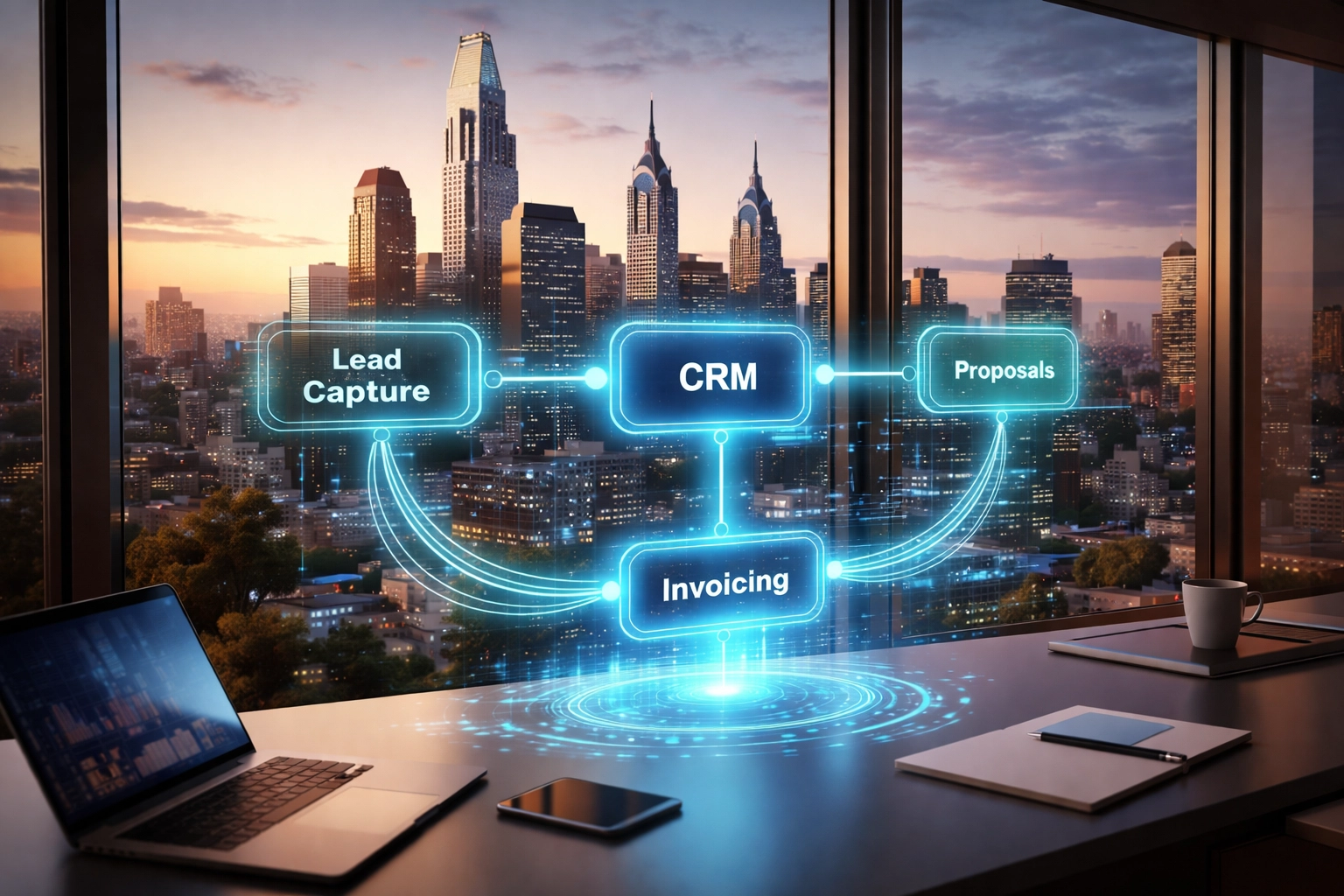
Why Philadelphia Businesses Need This Now
If you're running a service business in Philly: whether you're a contractor, consultant, agency, or local shop: you're competing against companies that have figured this out.
The ones winning right now aren't necessarily bigger or better funded. They're just more connected. Their systems talk to each other. Their follow-ups happen automatically. Their invoices go out the same day a job wraps up.
And here's the kicker: building a connected pipeline isn't just for enterprise companies anymore. With the right custom web design and smart integrations, even a five-person team can operate like a well-oiled machine.
The Anatomy of a Fully Connected Pipeline
Let's break down what a modern, automated lead-to-cash system actually looks like.
Stage 1: Lead Capture That Actually Works
It all starts with your website. If your forms are clunky, slow, or disconnected from your other tools, you're already losing.
A properly built intake form does more than collect names and emails. It:
- Feeds data directly into your CRM
- Tags leads based on their responses
- Triggers an instant confirmation email
- Notifies your sales team in real-time
No copy-pasting. No manual entry. No leads sitting in an inbox for days.
This is where a professionally developed website makes all the difference. Your site isn't just a digital brochure: it's the entry point to your entire business system.
Stage 2: Qualification Without the Guesswork
Not every lead is worth chasing. The BANT framework (Budget, Authority, Need, Timing) has been around forever, but now you can automate parts of it.
Smart forms can ask qualifying questions upfront. Lead scoring systems can rank prospects based on behavior. And your CRM can automatically route hot leads to your sales team while nurturing cooler ones with email sequences.
The result? Your team spends time on the right people instead of chasing dead ends.

Stage 3: Proposals and Contracts on Autopilot
Here's where most businesses hit a wall. You close the deal verbally, then spend hours creating a proposal from scratch.
In a connected pipeline, your CRM already has all the customer data. Your proposal tool pulls it in automatically. You customize a few details, hit send, and the client can e-sign on the spot.
Some systems even trigger the next steps automatically once a contract is signed: like creating a project in your project management tool or scheduling a kickoff call.
Stage 4: Fulfillment and Delivery
This stage varies depending on your business, but the principle stays the same: keep everything connected.
When a deal closes, your team should know immediately. Tasks should be assigned. Timelines should be set. The customer should feel like they're in good hands: not wondering if anyone's actually working on their project.
Stage 5: Invoicing That Doesn't Make You Cringe
Let's be honest: nobody loves invoicing. But it's a lot less painful when it happens automatically.
In a connected system, invoices can be generated based on project milestones, contract terms, or completion triggers. Payment reminders go out on schedule. And when payment comes in, your accounting software updates without you lifting a finger.
Late payments drop. Cash flow stabilizes. You sleep better at night.
The Tools That Make It Happen
Building a lead-to-cash pipeline isn't about finding one magical platform. It's about connecting the right tools in the right way.
Here's a typical modern stack for a Philadelphia service business:
| Function | Tool Examples |
|---|---|
| Website + Forms | Custom WordPress, Webflow |
| CRM | HubSpot, Pipedrive, GoHighLevel |
| Proposals | PandaDoc, Proposify |
| Project Management | Monday, Asana, ClickUp |
| Invoicing | QuickBooks, FreshBooks, Stripe |
| Automation Layer | Zapier, Make, native integrations |
The magic happens when these tools talk to each other seamlessly. That's where working with a team that understands website development and integrations becomes essential.

Common Mistakes to Avoid
Before you start building, let's talk about what NOT to do.
Mistake #1: Going "all-in-one" too fast. Those platforms that promise to do everything? They often do everything… poorly. Start with best-in-class tools for your most critical functions, then integrate.
Mistake #2: Automating before you have a process. Automation amplifies whatever you feed it. If your current workflow is messy, automating it just creates faster messes. Map out your ideal process first.
Mistake #3: Ignoring handoffs. The gaps between stages are where leads and orders fall through. Define exactly when and how things move from marketing to sales to fulfillment to billing.
Mistake #4: Forgetting the customer experience. A connected pipeline isn't just about internal efficiency. It's about making your customers feel taken care of at every step.
What This Looks Like in Real Life
Imagine this scenario:
A Philly restaurant owner searches for "website redesign near me." They land on your site (thanks to solid local SEO). They fill out your intake form. Instantly, they get a confirmation email with a link to book a discovery call.
Their info flows into your CRM, tagged as a "restaurant" lead. Your sales rep gets a Slack notification. The call happens. You send a proposal that pulls in their details automatically. They sign electronically.
A project is created in your PM tool. Your team gets notified. The work gets done. An invoice generates automatically when the project hits "complete." They pay online. Your books update.
Total manual work? Maybe 30 minutes across the entire engagement.
That's the power of a connected pipeline.
Ready to Build Yours?
If you're tired of disconnected tools, manual data entry, and invoices that go out weeks late, it's time to fix your systems.
At BENT Enterprise, we help Philadelphia businesses build websites that don't just look good: they work as the hub of a fully connected operation. From lead capture to invoicing, we design systems that grow with you.
Want to see what's possible for your business? Get in touch with our team and let's map out your lead-to-cash pipeline together.
Because in 2026, your website should be working as hard as you are.
How to Connect Your Website to Your CRM Without Breaking Your Workflow
You finally got a CRM. Maybe it's HubSpot, maybe it's Salesforce, maybe it's something simpler like Zoho or Pipedrive. Either way, you're feeling pretty good about getting organized. Then reality hits: Your website is collecting leads on one side, your CRM is sitting on the other, and somehow you're still copy-pasting contact info into spreadsheets at 9 PM on a Tuesday. Sound familiar? Here's the thing: connecting your website to your CRM isn't just a "nice to have" anymore. For Philadelphia businesses trying to compete in 2026, it's the difference between a smooth operation and a tangled mess of disconnected tools. But here's what nobody tells you: the connection itself isn't the hard part. Keeping your existing workflow intact while you do it? That's where things get tricky. Let's break down how to make this integration work without throwing your whole system into chaos. Why This Connection Matters More Than Ever Think about what happens when someone fills out your contact form right now. Does that lead automatically show up in your CRM with all the right tags? Does your sales team get notified instantly? Does the prospect receive a personalized follow-up email within minutes? Or does that form...

Custom Web Design vs Templates in 2026: The Real ROI Breakdown
Let's cut straight to it: you're probably here because you've been staring at your website, wondering if that template you picked three years ago is actually holding your business back. Or maybe you're starting fresh and trying to figure out if dropping serious money on a custom build is actually worth it: or if you're just being sold the premium option. Here in Philadelphia, we talk to business owners every single week who are wrestling with this exact question. And honestly? The answer isn't as simple as "custom is always better" or "templates are fine for everyone." But when you look at the real numbers: the actual ROI over time: the picture gets crystal clear. Let's break it down. The Upfront Cost Myth Here's where most people get stuck. They see the price tags and make a snap decision: Templates: $30–$300 upfront Custom websites: $10,000–$100,000+ On paper, that looks like a no-brainer, right? Why would anyone pay 100x more for essentially the same thing? Except it's not the same thing. Not even close. That template price doesn't include the premium plugins you'll need ($50–$200/year each), the recurring platform fees, the customization work to make it not look like every...
Small Business, Smart Systems: AI, CRM, and Automation for Streamlining Your Website in 2026
Running a small business in Philadelphia means wearing a dozen hats before lunch. You're the owner, the marketer, the customer service rep, and sometimes the IT department. But here's the good news: 2026 is the year you stop doing everything manually. AI, CRM systems, and website automation aren't just for Fortune 500 companies anymore. These tools are accessible, affordable, and practically built for small businesses ready to work smarter. If your website still feels like a digital brochure instead of your hardest-working employee, it's time to change that. Let's break down exactly how Philadelphia small businesses can use these smart systems to save time, improve customer experiences, and compete with the big players: without hiring a massive team. Why Smart Systems Matter for Small Business Websites Your website should do more than look good. It should work for you around the clock: capturing leads, answering questions, and moving customers through your sales process while you focus on running your business. According to recent surveys, 51% of small business owners have already integrated AI into their customer service operations. The results? Faster response times, 24/7 availability, and happier customers. That's not a trend: it's a competitive advantage you can't afford...

Your Website Isn't a Brochure Anymore, It's the Hub of Your Business Systems
Remember when having a website meant slapping your phone number, address, and a few stock photos onto a page and calling it a day? Yeah, those days are long gone. If you're running a small business in Philadelphia: or anywhere, really: your website has to do a lot more heavy lifting than it used to. It's not just a digital business card anymore. It's the command center for how you interact with customers, manage leads, take payments, and keep your business running smoothly. Let's talk about what that actually means and how you can make sure your website is pulling its weight. The Old Way: Brochure Websites Back in the day, most small business websites were basically online brochures. They listed your services, maybe had a contact form, and that was about it. If someone wanted to book an appointment or ask a question, they had to call you. If you wanted to track where your leads were coming from, good luck: you were flying blind. These static websites served a purpose for a while, but they created a lot of manual work. You'd get an email from the contact form, then manually enter that info into a spreadsheet...

AI Integrations for Small Business Websites in 2026: What's Actually Worth It
If you're a Philadelphia small business owner, you've probably heard a lot of buzz about AI over the past couple of years. Chatbots, automated email writers, "smart" everything: it can feel overwhelming. But here's the truth: not every shiny AI tool is worth your time or money. Some integrations genuinely move the needle for your website and business operations. Others? Total distractions. Let's cut through the noise and talk about what's actually worth it for small business websites in 2026: and how to make smart choices that fit your budget and goals. Why AI Integrations Matter for Small Businesses Now AI has gone from experimental tech to essential business tool faster than most of us expected. According to Gartner, nearly 34% of companies using generative AI now report major productivity gains. For small businesses, this means you can compete with bigger players without hiring a massive team. But here's the catch: the biggest mistake small businesses make is adopting multiple AI tools at once, each selected for a single feature, without thinking about how they work together. The result? A tangled mess of logins, dashboards, and data that doesn't talk to each other. The real value comes from choosing...