
How to Integrate Your CRM With Website Personalization to Wow Local Customers
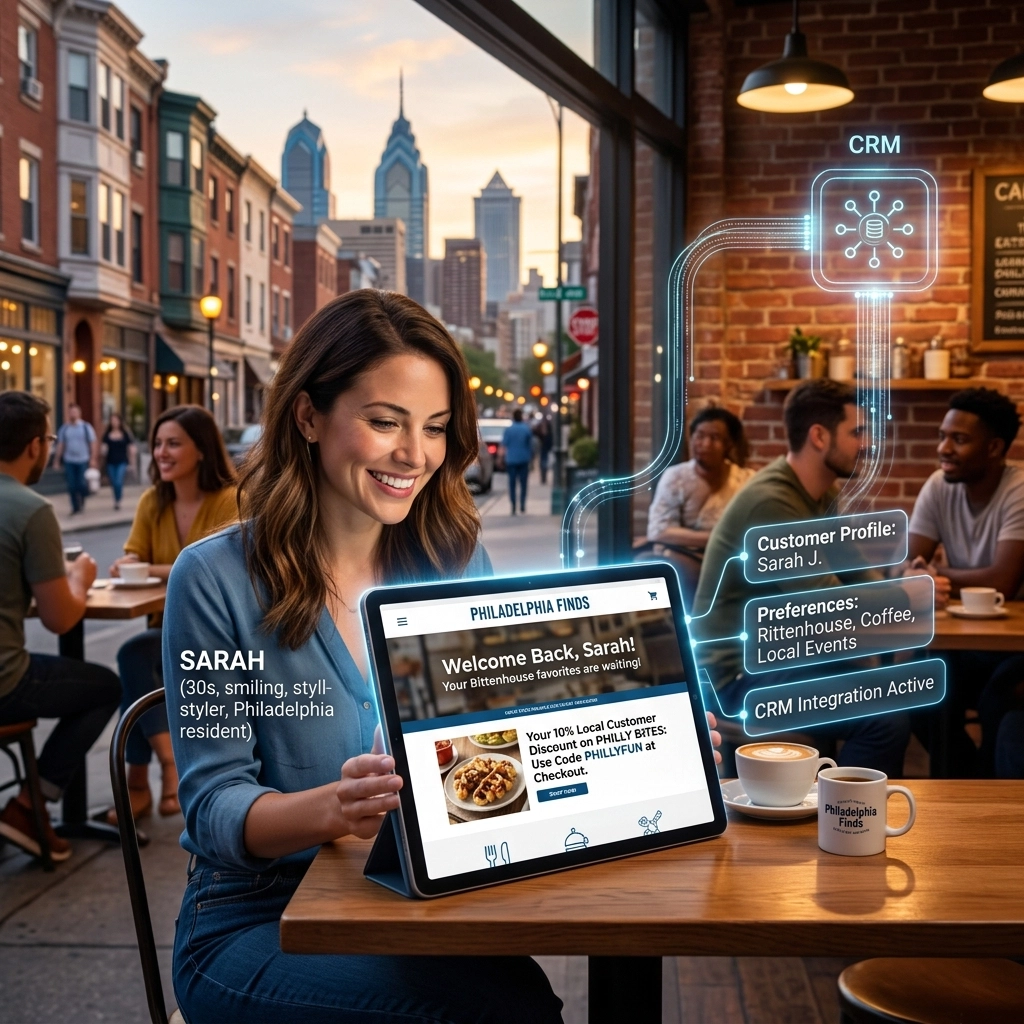
Think about your favorite local spot in Philly. Maybe it’s a coffee shop in Fishtown where the barista knows you take your oat milk latte with exactly one sugar, or a hardware store in South Philly where they remember you’re halfway through a bathroom remodel. That feeling of being known is why we shop local. It’s the "Cheers" effect: everybody knows your name, and they’re always glad you came.
In 2026, your website shouldn’t feel like a cold, static digital brochure. It should feel like that barista.
The secret sauce to making this happen is integrating your Customer Relationship Management (CRM) system with your website personalization engine. When these two talk to each other, your website stops being a generic page and starts being a high-performing sales rep that remembers every visitor.
For Philadelphia-based small businesses, this isn't just "nice to have" anymore. It’s how you beat the big-box national brands that can’t offer that level of neighborhood-specific touch. Here is how you can bridge the gap between your data and your design.
What is CRM-Driven Website Personalization?
In the old days (like, 2023), your website and your CRM lived in two different worlds. Someone would fill out a form on your site, the data would fly into your CRM, and maybe a human would follow up.
In 2026, the data flows both ways in real-time.
When a "Known Visitor": someone already in your CRM: lands on your homepage, your website identifies them (usually via a cookie or a login) and reaches back into the CRM to ask: "Who is this, what did they buy last, and what are they interested in?"
The website then changes its layout, headlines, and offers to match that specific person. If you’re a local HVAC company and a customer who just had an AC tune-up visits your site, they shouldn't see a "Book Your AC Tune-Up" hero banner. They should see a "Ready for the Winter? Schedule Your Heating Inspection" message. That’s the power of Custom Web Design built on a foundation of smart data.
Why Philadelphia Businesses Need to Get Personal
Philly is a city of neighborhoods. A customer in Rittenhouse Square has different needs and vibes than a customer in Northeast Philly.
When you integrate your CRM, you can use Geofencing and Local Data to customize the experience.
- The "Local Hero" Strategy: If your CRM shows a lead is based in Manayunk, your website can dynamically display testimonials from other Manayunk residents or mention that you’ll be in the neighborhood next Tuesday.
- Service History: A law firm in Center City can show different resources to a returning corporate client than they do to a first-time personal injury lead.
By tailoring the message, you aren’t just "selling"; you’re providing a service. This level of detail is a core part of effective Local SEO Services, as it keeps users on your site longer (increasing "dwell time") and drastically improves conversion rates.

Step 1: Choosing the Right Tech Stack
You can’t build a skyscraper on a swamp. To get this right, your website needs to be built on a flexible architecture. At BENT Enterprise, we focus on the 2026 Website Stack, which prioritizes connectivity.
Most modern CRMs: like HubSpot, Salesforce, or even more nimble options like Pipedrive: offer robust APIs. Your website needs to be able to "speak" to these APIs fluently. This is where Web Development Services come into play. We’re no longer just putting pictures on a page; we’re building data pipelines.
Key Tools for 2026:
- The CRM: Your single source of truth.
- The Personalization Layer: Tools like RightMessage, Optimizely, or custom AI-driven scripts that swap out website content based on CRM tags.
- The Middleware: Tools like Zapier or Make (or custom webhooks) that ensure the data sync happens in milliseconds, not minutes.
If you’re still struggling with tools that don’t talk to each other, you’re likely suffering from "The Hidden Cost of Disconnected Tools": a topic we’ve covered recently to help owners realize how much revenue is leaking through the cracks of their tech stack.
Step 2: Real-Time Data Syncing
The "Wow" factor disappears if the data is stale. If a customer buys a product at 10:00 AM and sees an ad for that same product on your website at 10:05 AM, the magic is broken.
In 2026, we use Webhooks to ensure that as soon as a status changes in your CRM (e.g., "Lead" becomes "Customer"), your website knows. This allows for:
- Dynamic Content Blocks: Swapping a "Sign Up" button for a "Refer a Friend" button.
- Personalized Headlines: "Welcome back, Sarah! Ready to finish your kitchen project?"
- Tailored Lead Magnets: Showing a guide to "Commercial Property Taxes" to a user tagged as a "Business Owner" in your CRM, while showing "Residential Property Tips" to others.
Step 3: AI-Powered Lead Scoring and Prediction
This is where it gets really cool. With AI integrations, your CRM doesn't just store data; it predicts behavior.
Modern AI can analyze a visitor's past interactions and assign a "Buy Intent" score. If your website sees a visitor with a high intent score who hasn’t converted yet, it can automatically trigger a "Limited Time Local Offer" popup that only they see. This isn't generic "discounting": it’s strategic automation that protects your margins while closing the deal.
We often implement these types of AI Automation workflows for Philly businesses that want to scale without hiring a massive sales team. The website does the heavy lifting of qualifying and nudging the leads.
The "Creepiness" Factor: Personalization with Privacy
We’ve all had that experience where a website seems too informed about our lives, and it gets weird. To "wow" your customers without scaring them, follow these rules:
- Be Transparent: Use a clear privacy policy and cookie consent.
- Focus on Utility: Personalize to make the user’s life easier (e.g., "Here is the manual for the product you bought"), not just to show off that you know their address.
- Prioritize Accessibility: Ensure your personalized elements don't break the user experience for those using screen readers. Good design is inclusive design, which is why we emphasize ADA Web Solutions in every build.
How to Get Started (The Philly Way)
You don’t need to overhaul your entire business overnight. Start small.
- Map Your Customer Journey: What are the three most common types of people who visit your site? (e.g., New Leads, Active Clients, Past Customers).
- Identify One "Wow" Moment: Could you greet returning clients by name? Could you show local neighborhood-specific project photos?
- Connect the Plumbing: Ensure your website forms are correctly mapped to your CRM fields. If your forms are messy, your data will be too.
Final Thoughts
Integrating your CRM with your website is about more than just tech: it’s about bringing that "small town" Philly feel into the digital age. It’s about showing your customers that you value their time and remember their preferences.
At BENT Enterprise, we specialize in building these bridges. We don't just design websites; we design operations engines that grow your business while you sleep. Whether you're in Manayunk, Kensington, or the heart of Center City, your business deserves a website that’s as smart as you are.
Ready to turn your website into a personalized powerhouse? Contact us today and let’s talk about how to make your data work for you. Or, if you're curious about how your current site stacks up, check out our work in Custom Web Design to see the possibilities.
Your customers are waiting for that "Wow" moment. Let's give it to them.