Series: AI Integrations & Web Design 2026 · Category: AI Integrations
A visitor clicks your ad for a specific service, offer, or product. They land on your homepage, and have to figure out where to go next. That extra search can cost you a lead.
Effective landing page design gives campaign visitors a more direct path. For Philadelphia small businesses, startups, ecommerce brands, and professional service providers, the goal isn’t simply to make a page look polished. It’s to help the right visitor understand the offer, trust your business, and take one clear next step.
What is a landing page, and why not send visitors to your homepage?
A landing page is a standalone, single-purpose page built around one conversion goal. That might mean booking a consultation, requesting a quote, signing up, or purchasing a product.
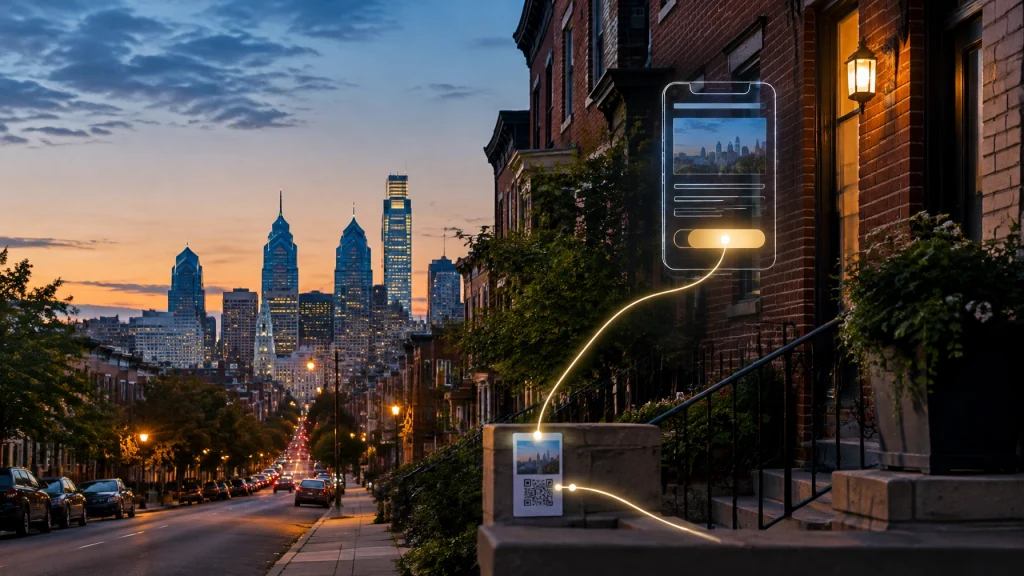
A homepage has a broader job: introduce your business and help different visitors explore. A campaign landing page can focus on one audience and offer. When the headline, supporting details, and CTA all match the ad, email, or QR code that brought someone there, visitors have fewer distractions and a clearer decision to make.
That focus is why a landing page can outperform a homepage for a specific campaign. It isn’t a guarantee of more conversions; the offer, audience, page experience, and follow-up all matter. For a deeper look at the testing and measurement side, read AI Integrations & Web Design 2026: What Conversion Rate Optimization Should Actually Deliver for Philadelphia Businesses.
What landing page design should deliver in 2026
1. One goal, and a message that matches the click
Decide what success means before building the page. If the campaign promotes a free estimate, the landing page should explain that estimate, set expectations, and make requesting it easy, not introduce several unrelated offers.
Keep the promise consistent across the whole journey. A visitor who clicks an ad about emergency plumbing shouldn’t land on a general services page that buries emergency help. Google’s landing page experience guidance is a useful reference for aligning an ad with its destination and making the page relevant and useful.
2. Above-the-fold clarity
On the first screen, especially on a phone, visitors should be able to tell:
- What you offer and who it’s for
- Why they might choose your business
- What to do next
Use a clear headline, a brief supporting line, and one primary CTA. “Request a project estimate” gives a clearer expectation than a vague “Learn more.” Put the CTA where it’s easy to see, and repeat it later if the page is long.

3. Proof that feels relevant and local
A strong claim is more convincing when you support it. Consider genuine customer reviews, testimonials, credentials, examples of your work, or a short explanation of your process. Philadelphia context can help too: name the neighborhoods or nearby communities you actually serve, and show familiar local details where they add credibility.
Keep proof accurate and specific. A quote from a real customer is more useful than a string of generic claims about being “the best.”
4. Less friction, particularly on mobile
Every extra step is another chance for a visitor to stop. Ask only for the information your team needs to take the next step. A short form might need a name, contact method, and one question about the request, not a full project brief.
Make the page load quickly, keep important content easy to scan, and ensure the buttons and form fields work comfortably on small screens. If phone calls matter, include a visible click-to-call option. Those details are fundamental to practical Custom Web Design and conversion rate optimization, not optional finishing touches.
5. AI integrations that solve a real problem
AI belongs on a landing page only when it makes the visitor’s next step easier or helps your team respond. A helpful chat assistant can answer offer-specific questions (such as what a consultation includes or what details are needed for a quote) using approved business information. It should avoid guessing and make human help easy to reach.
AI-powered lead routing can also send an inquiry to the right person based on service, location, or urgency. A smart form can organize responses and pass them into a CRM, while an instant follow-up confirms the request and explains what happens next. For ideas on chat that supports rather than distracts from the customer journey, see How AI-Powered Chatbots Turn Philadelphia Small Business Websites Into 24/7 Sales Teams. BENT’s AI Automation & Integrations services can help connect these tools to your workflow.

6. A clear thank-you and trackable results
Don’t let the journey end at “Submit.” A useful thank-you page confirms the action and sets expectations: when your team will respond, how to prepare, or where to go next. It can also provide a relevant next step without competing with the original goal.
Before launch, make sure conversions are tracked. Configure the appropriate events in GA4 and Google Ads, and consider call tracking if phone inquiries are important. Monitor meaningful outcomes (qualified leads, booked calls, or purchases) not just page views. Measurement gives you a basis for improving the page instead of relying on guesswork.
Common landing page mistakes to avoid
Watch for multiple competing CTAs, paid traffic sent to a general homepage, slow pages overloaded with scripts or oversized images, and layouts that look fine on desktop but are awkward on mobile. Forms need attention too: unclear instructions, missing labels, or low-contrast text can make them difficult to use.
Accessibility is part of good page design. Check contrast, visible labels, keyboard access, and clear error messages against the W3C Web Content Accessibility Guidelines (WCAG) 2.2. Automated tools can help flag issues, but they don’t replace thoughtful design and human testing.
A quick six-point landing page checklist
Before publishing, ask:
- Is there one primary conversion goal?
- Does the headline match the ad, email, or QR code?
- Can a mobile visitor understand the offer and CTA immediately?
- Have I included relevant, genuine proof?
- Is the page fast, accessible, and easy to complete?
- Do the thank-you page and conversion tracking work?
Landing page or main site, and when to get help?
Use a landing page for a focused campaign, seasonal offer, paid search ad, event, or specific product. Use your main site when visitors need to compare services, explore your brand, or find general information. Landing pages should complement your website, not replace its broader content and navigation.
A page builder may be enough when the offer is simple, the layout is standard, and you can test the form, mobile experience, and tracking yourself. Bring in help when the page needs custom integrations, CRM routing, accessibility work, reliable analytics, or a more involved ecommerce or lead-generation flow. BENT’s Local SEO services can also help connect local visibility with a clear path from search to inquiry.
For Philadelphia businesses ready to make a campaign page more useful, and easier to measure, contact BENT Enterprise to talk about landing page design. We’ll help you find a practical next step that fits your offer, audience, and workflow.